Skip to content

Olivares AI Engineer

Four AI coding tools, one setup.

Olivares AI runs Claude Code, Codex, Gemini CLI and OpenCode as their vendors ship them, on your server, in any browser. Olivares AI Engineer adds what you need when the sessions are many and the tools are four.

Olivares AI Engineer

Billing period

US$19.00 /month

US$190.00 /year

Save ~16% with annual billing.

per subscription, not per user · plus applicable taxes

USD, business-to-business, tax exclusive · Dodo Payments is the merchant of record and charges the tax that applies to you.
  • For one engineer or a small team. No edition counts users.
  • One license, active on one server at a time.
  • Self-hosted: a binary, deb and rpm packages or a container, on SQLite or PostgreSQL.
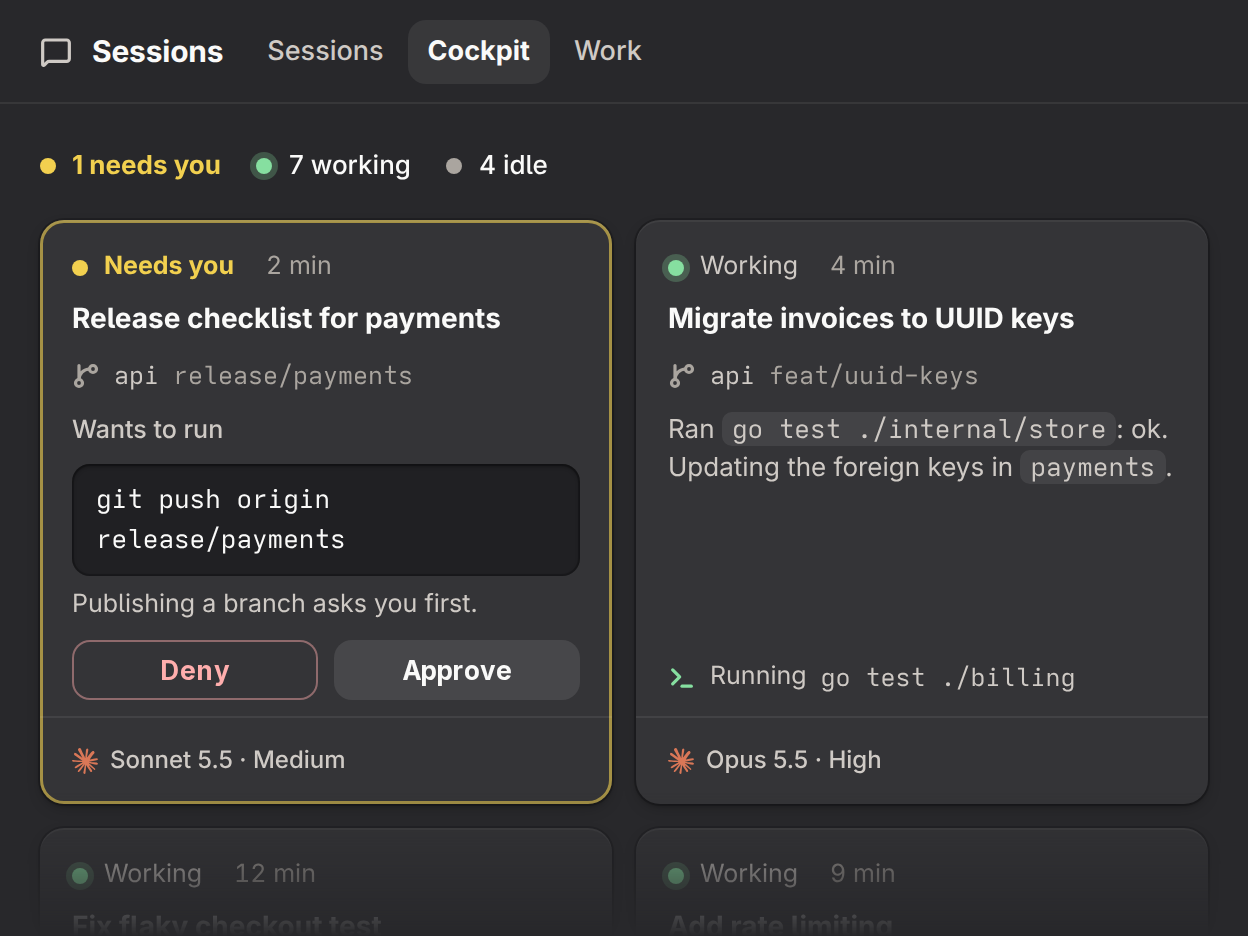
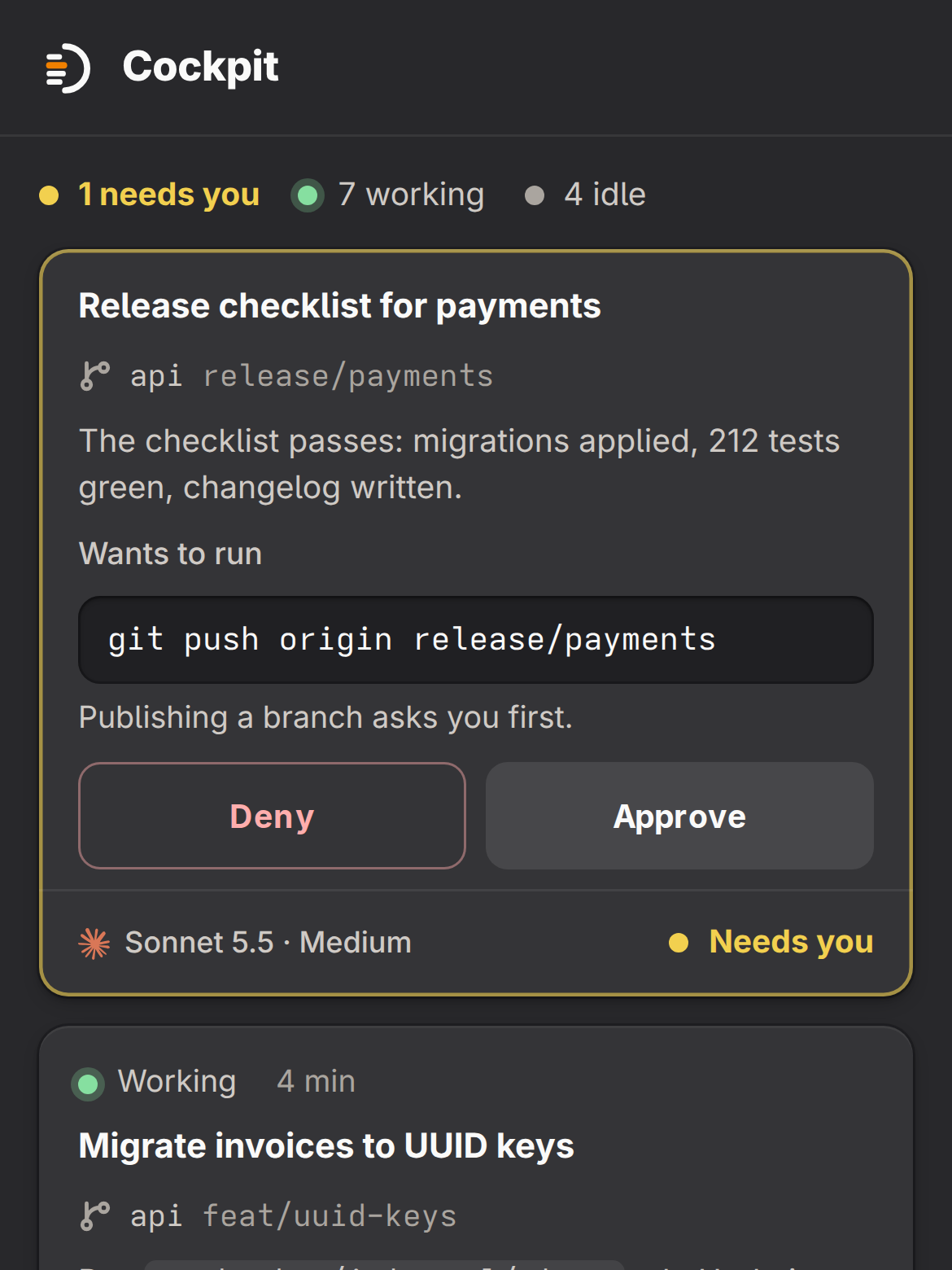
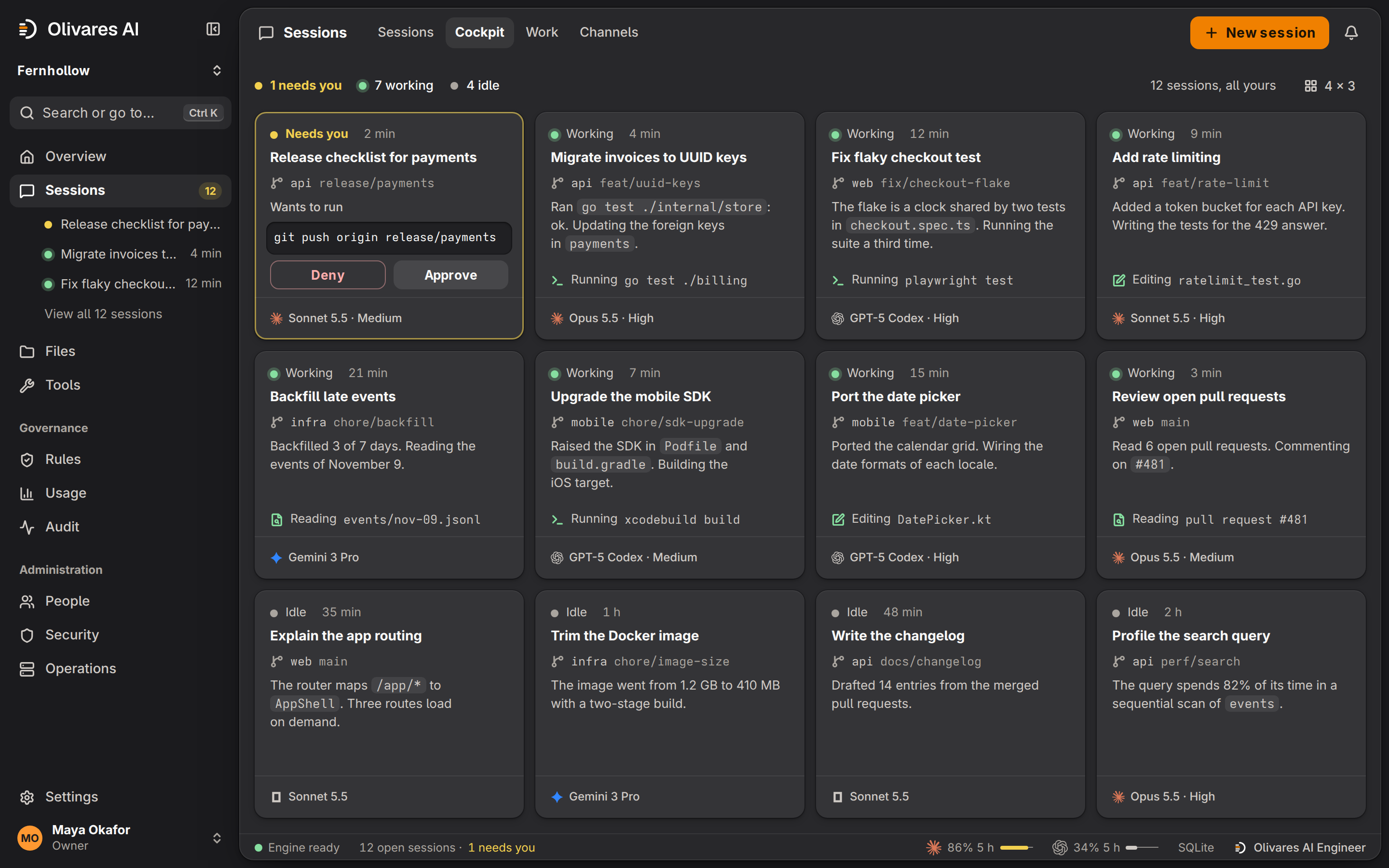
The cockpit of the Olivares AI console: twelve sessions of Claude Code, Codex, Gemini CLI and OpenCode in a grid. The first one needs you: it wants to run git push origin release/payments and shows Deny and Approve. Seven are working and four are idle. The cockpit of the Olivares AI console: twelve sessions of Claude Code, Codex, Gemini CLI and OpenCode in a grid. The first one needs you: it wants to run git push origin release/payments and shows Deny and Approve. Seven are working and four are idle.
The cockpit: twelve sessions in four tools, and the one that needs you. The screens on this page are drawings of the console, with sample data.

Olivares AI Engineer in one minute

Narrated, with captions.

Every session is complete

In every edition a session is the vendor’s own tool with a real terminal, the diff, Git and the pull request. You choose the model and its effort in the composer, and type / for the tool’s commands.

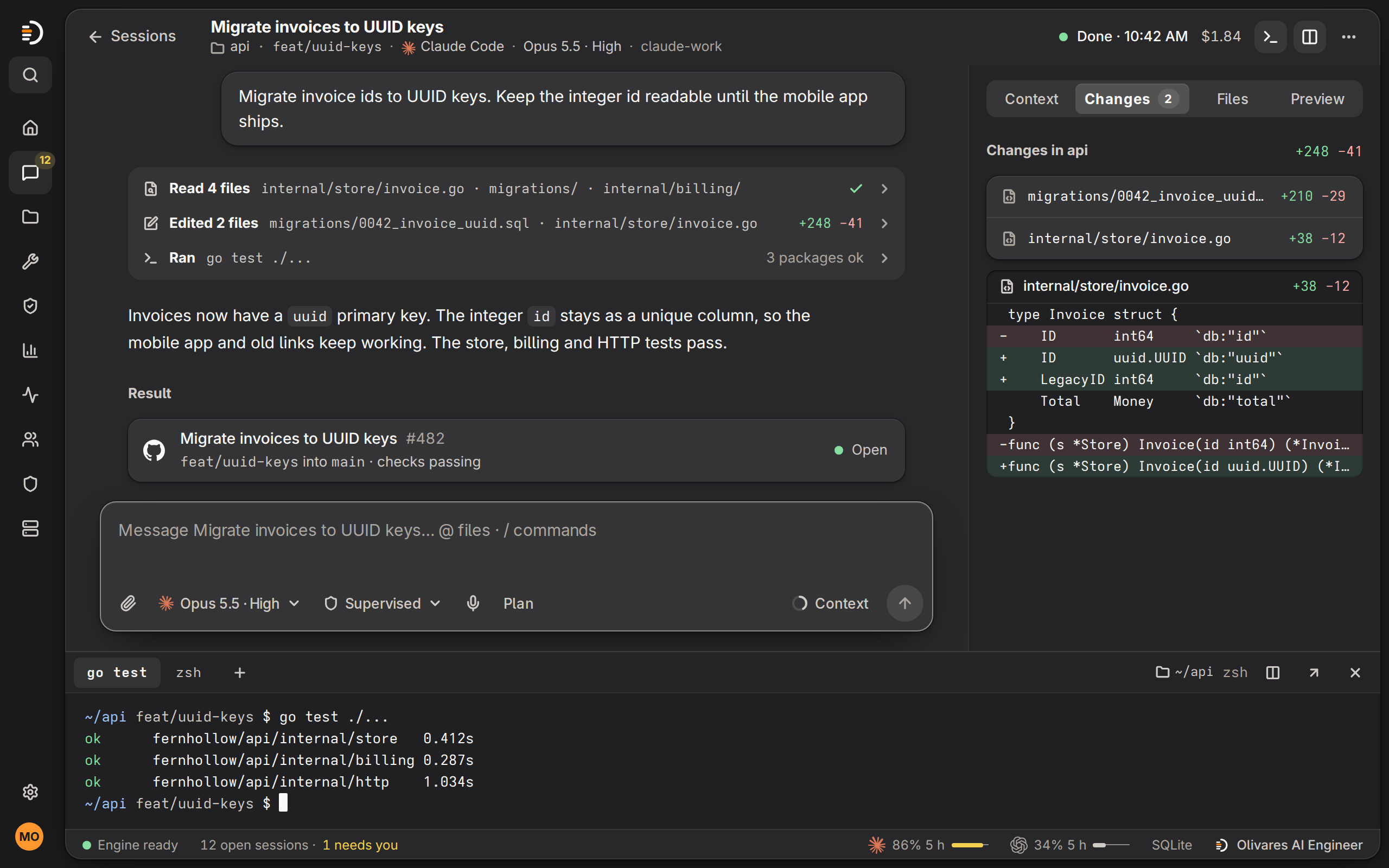
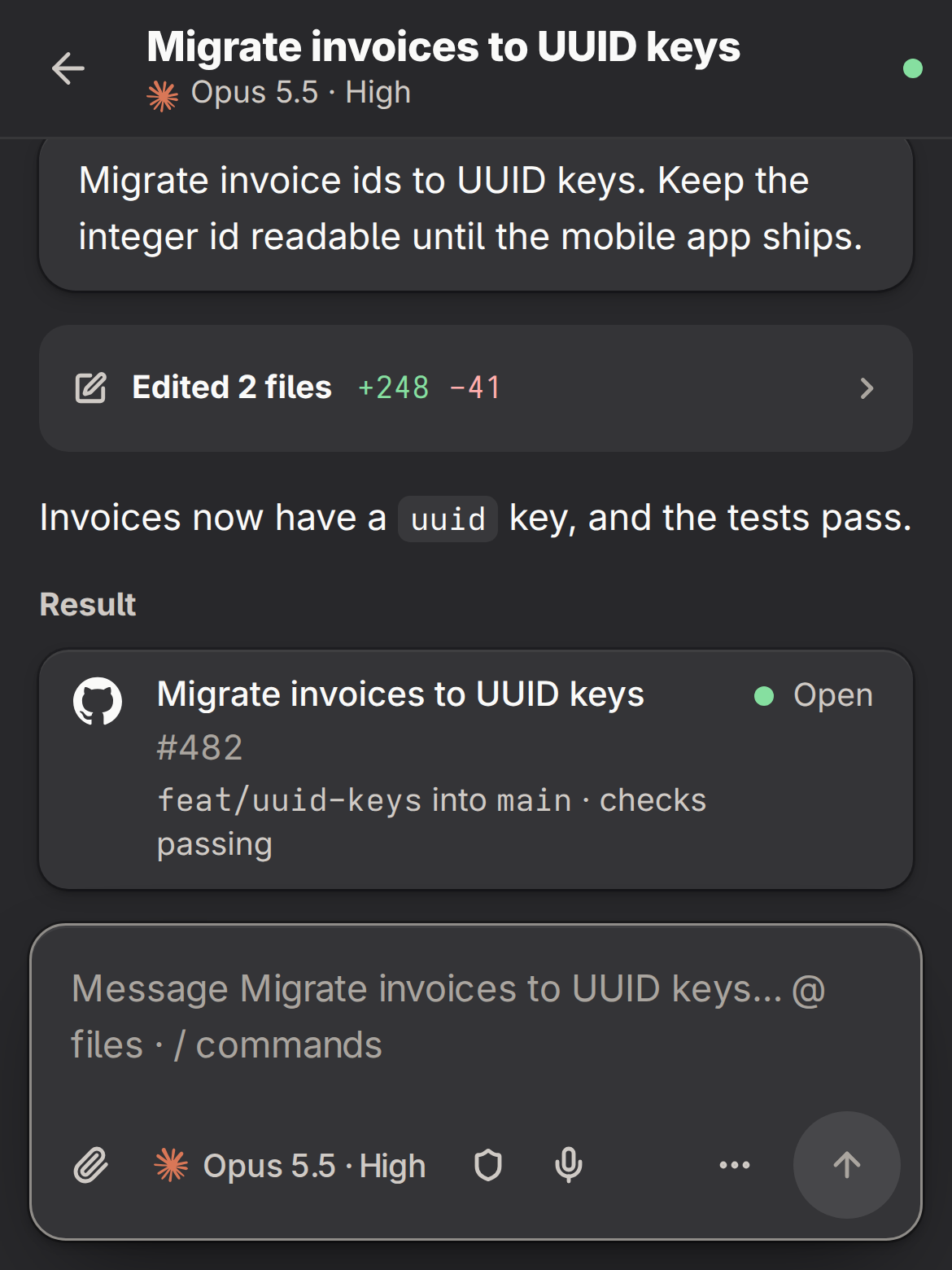
One session in the Olivares AI console: Claude Code with Opus 5.5 at high effort on the api repository. The conversation, the composer with its model, access and dictation buttons, the changed files with their diff, pull request 482 and a terminal with passing Go tests. One session in the Olivares AI console: Claude Code with Opus 5.5 at high effort on the api repository. The conversation, the composer with its model, access and dictation buttons, the changed files with their diff, pull request 482 and a terminal with passing Go tests.
One session: Claude Code on the api repository, with its composer, terminal, changes and pull request. Every edition has this.

What Olivares AI Engineer adds

Today you open each tab to find the agent that waits, read each vendor’s limits page, and set up every skill and MCP server four times. Olivares AI Engineer does that work once, on your server.

  1. Approve the next step from the cockpit

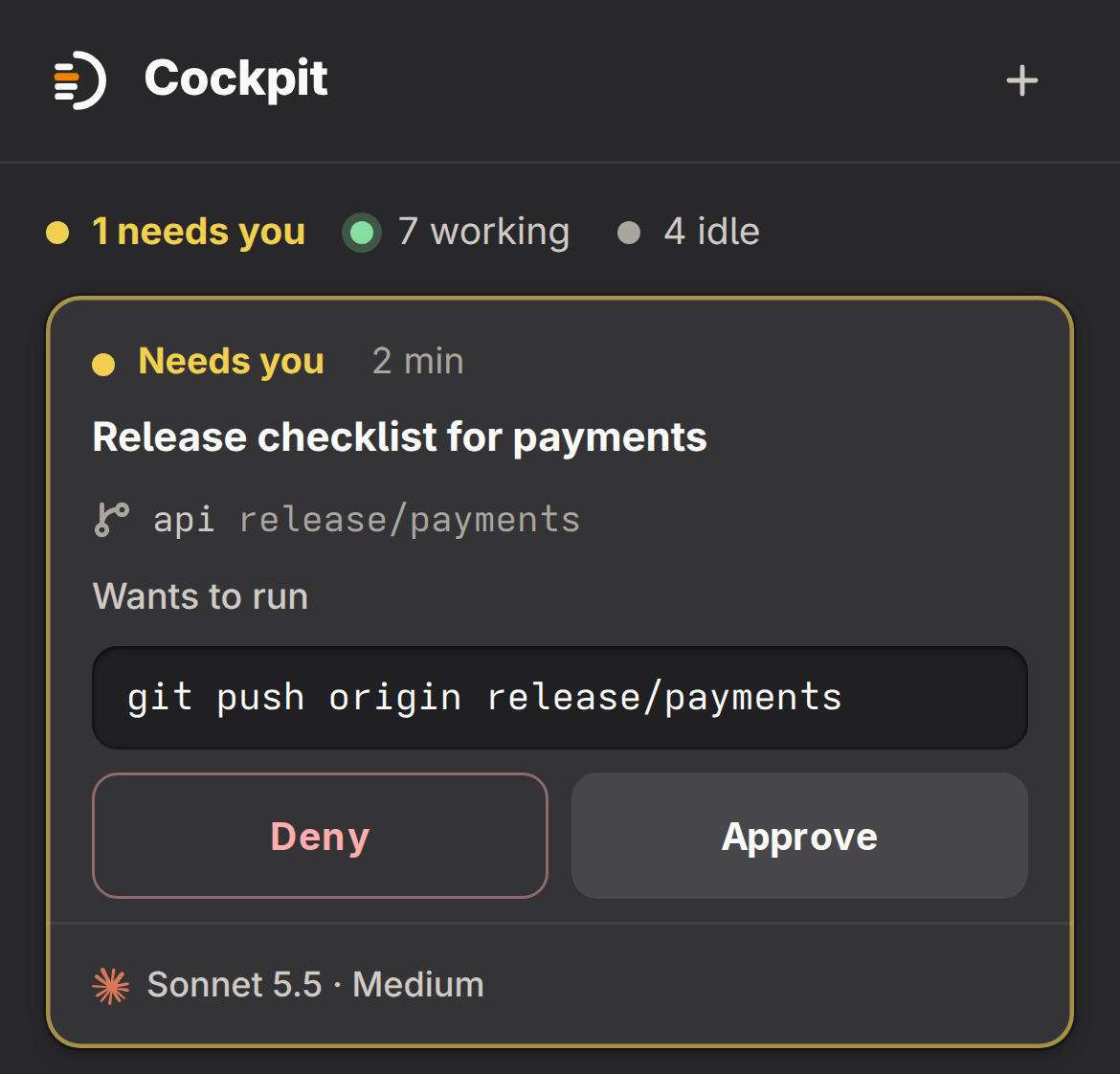
    Your sessions in the four tools sit side by side. The one that waits for you comes first, with the command it wants to run. You approve or deny it there.

    Part of the cockpit: the session “Release checklist for payments” wants to run git push origin release/payments, with the buttons Deny and Approve. Beside it, a session that is working. Part of the cockpit: the session “Release checklist for payments” wants to run git push origin release/payments, with the buttons Deny and Approve. Beside it, a session that is working.
  2. Your usage beside each account’s limits

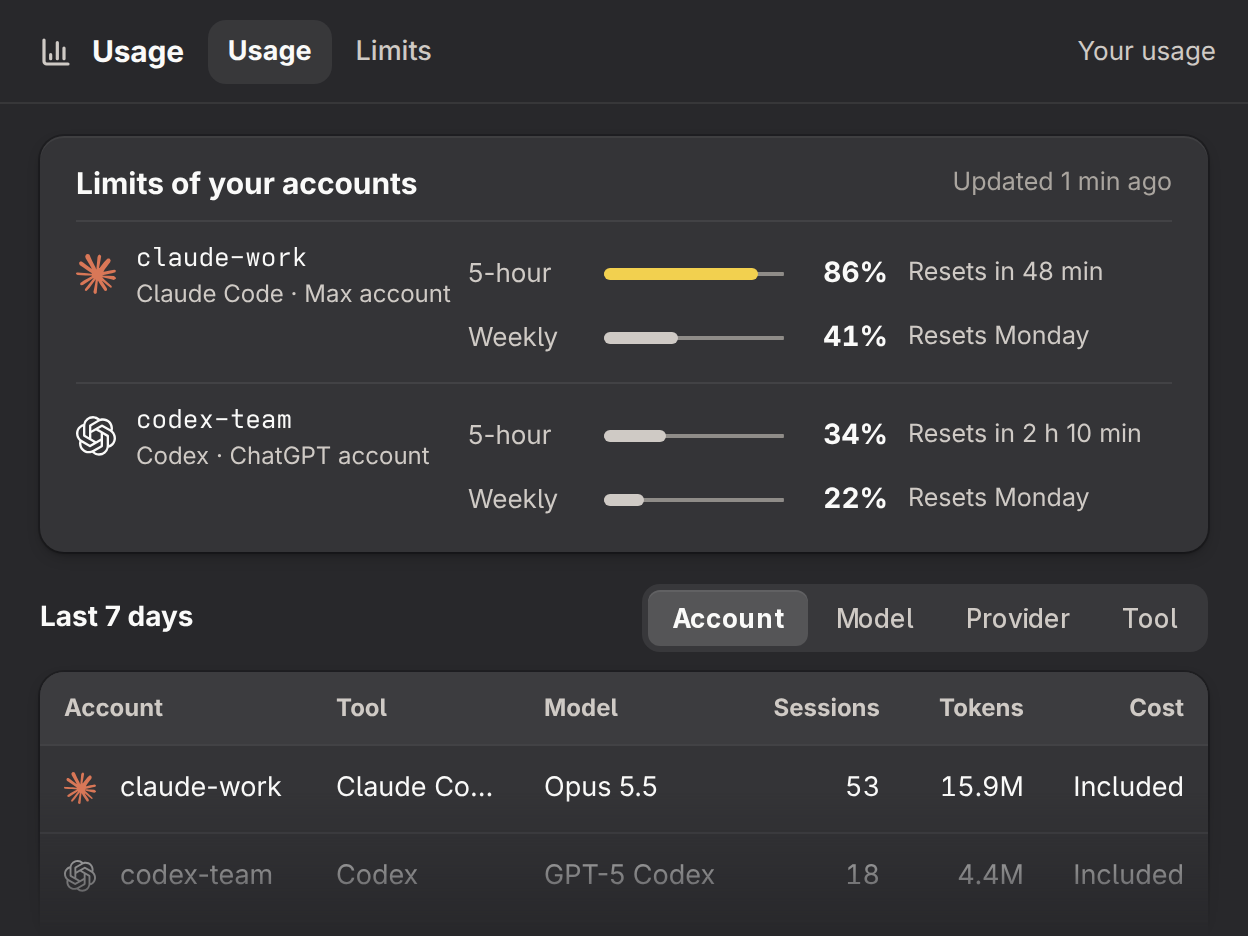
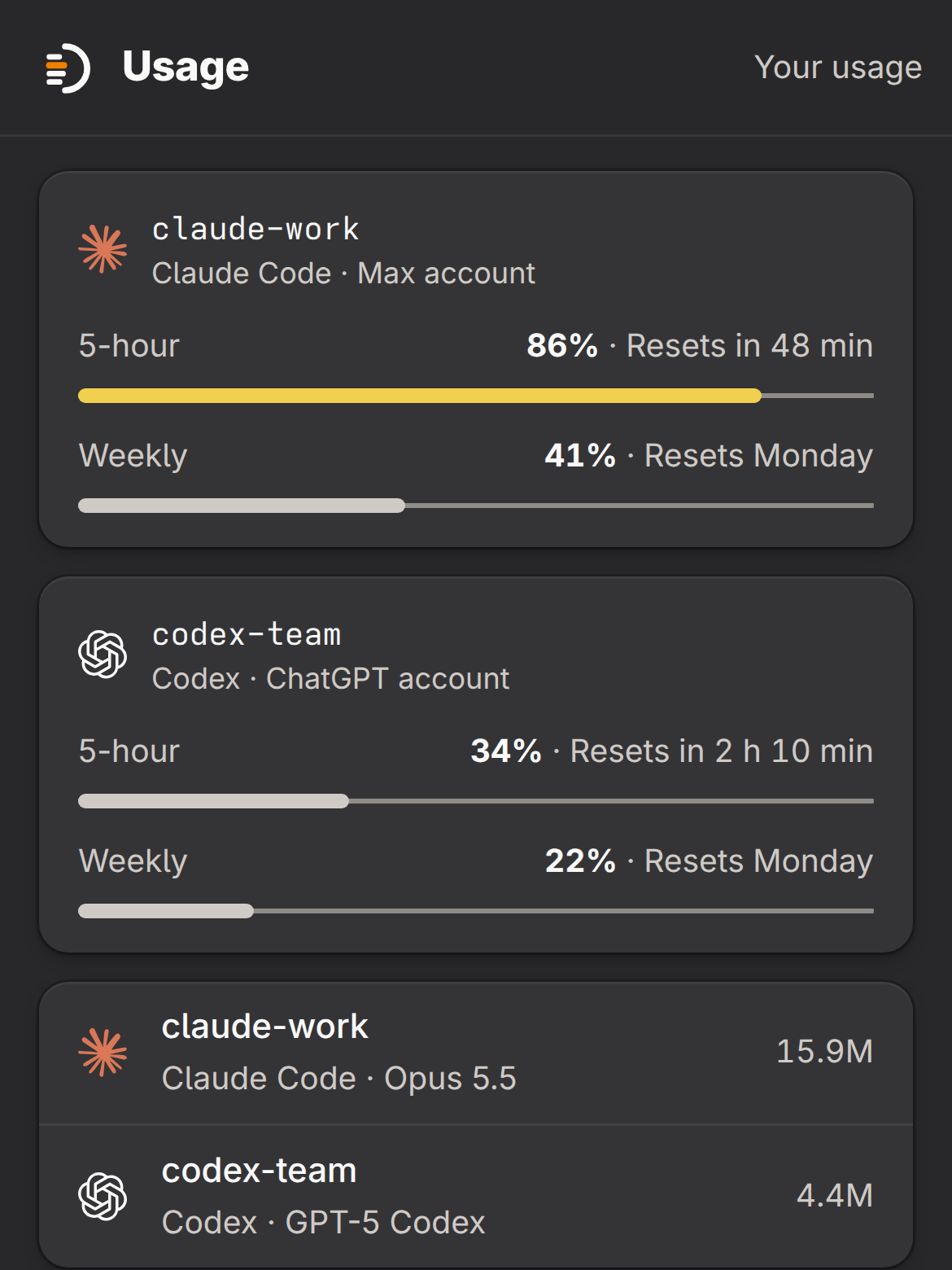
    Usage across your sessions by account, model, provider and tool, next to the 5-hour and weekly limits of each account. You see a limit before you reach it.

    The usage page: the claude-work account at 86% of its 5-hour limit, which resets in 48 minutes, and 41% of its weekly limit; the codex-team account at 34% and 22%. Under them, the last 7 days by account, tool and model. The usage page: the claude-work account at 86% of its 5-hour limit, which resets in 48 minutes, and 41% of its weekly limit; the codex-team account at 34% and 22%. Under them, the last 7 days by account, tool and model.
  3. What each agent actually touched

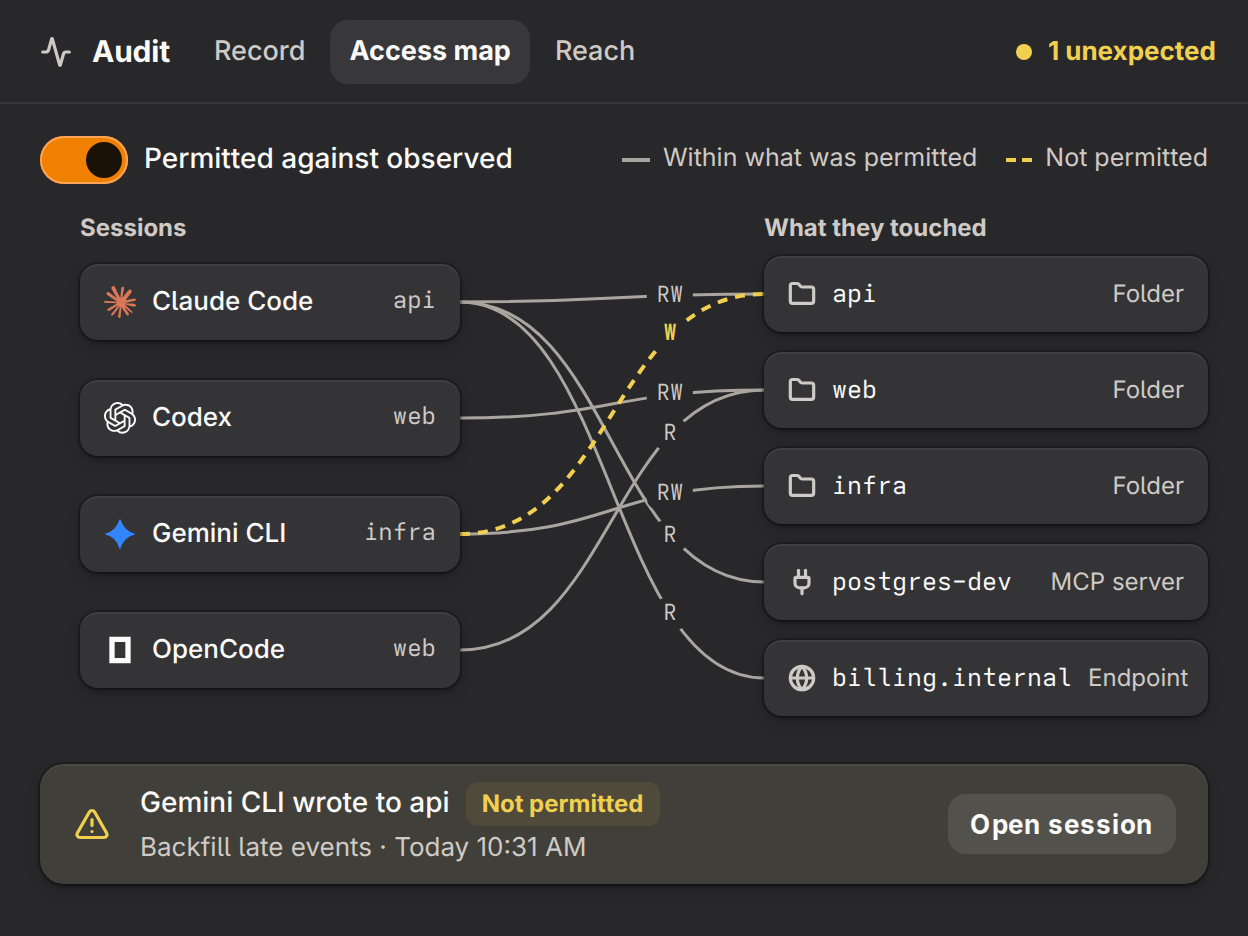
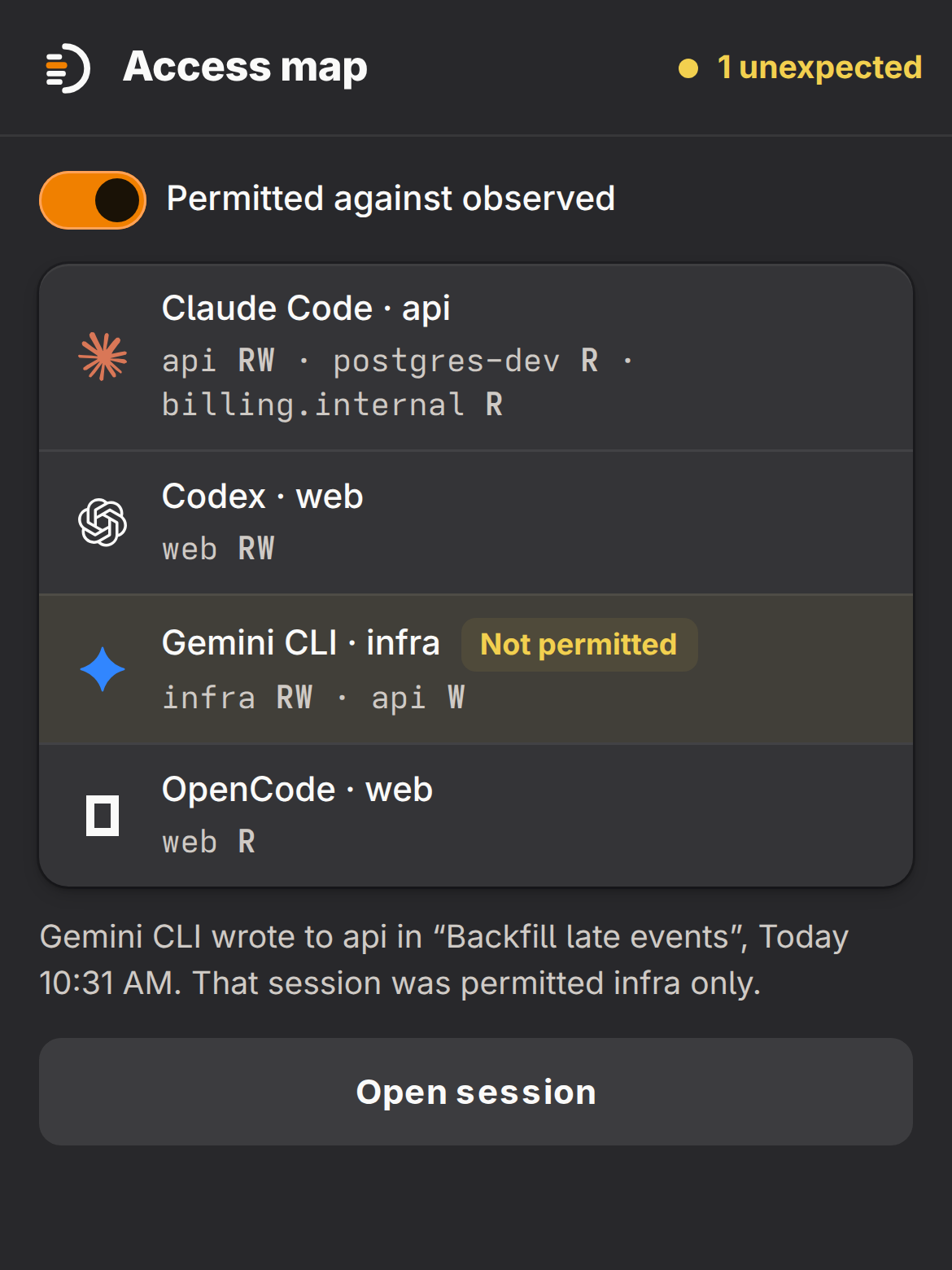
    The access map sets what each session was permitted against what it read and wrote, and marks the one that went outside.

    The access map: four sessions on the left and the folders, the MCP server and the endpoint they touched on the right. One line is marked: Gemini CLI wrote to the api folder, which that session was not permitted. The access map: four sessions on the left and the folders, the MCP server and the endpoint they touched on the right. One line is marked: Gemini CLI wrote to the api folder, which that session was not permitted.
  4. One setup for all four tools

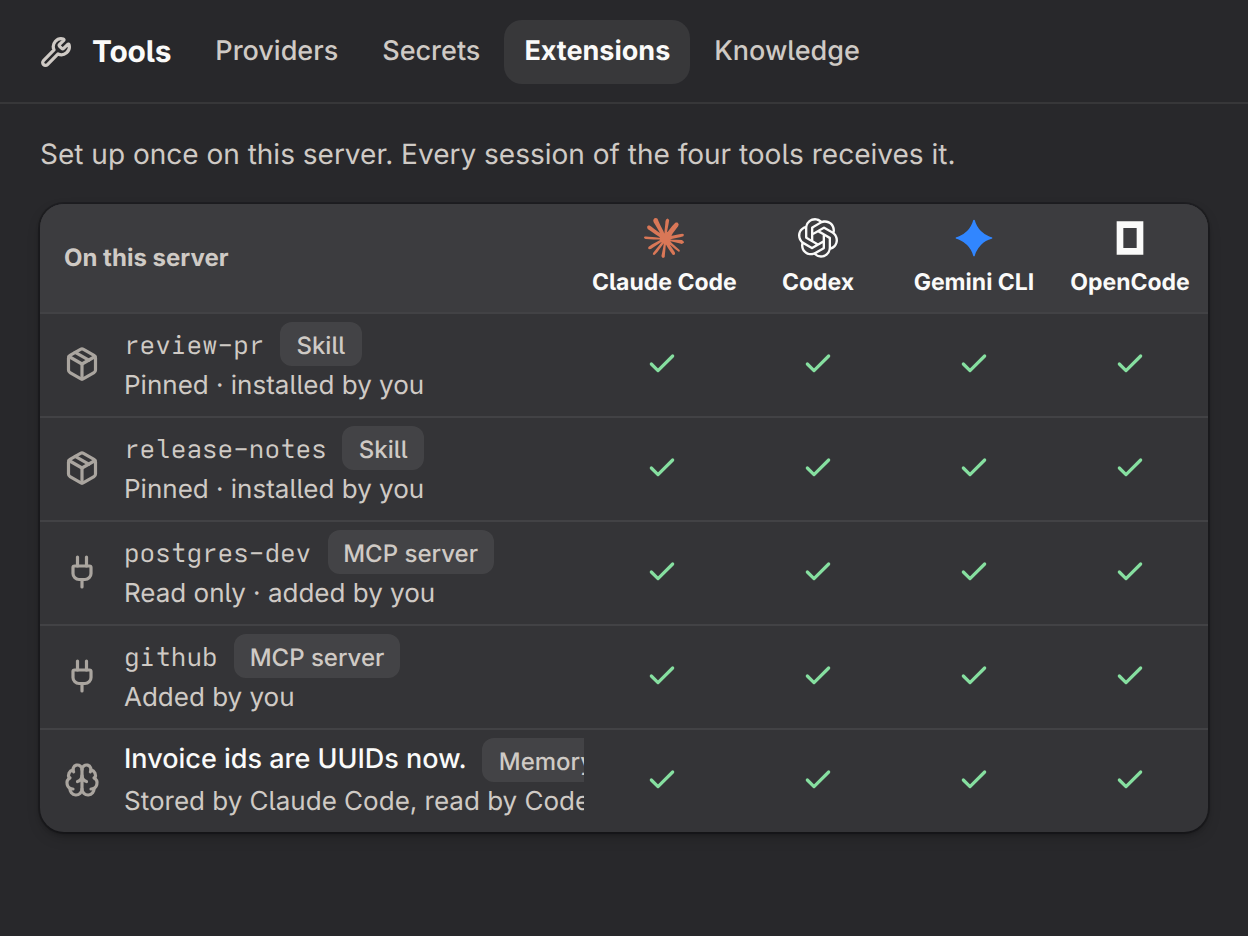
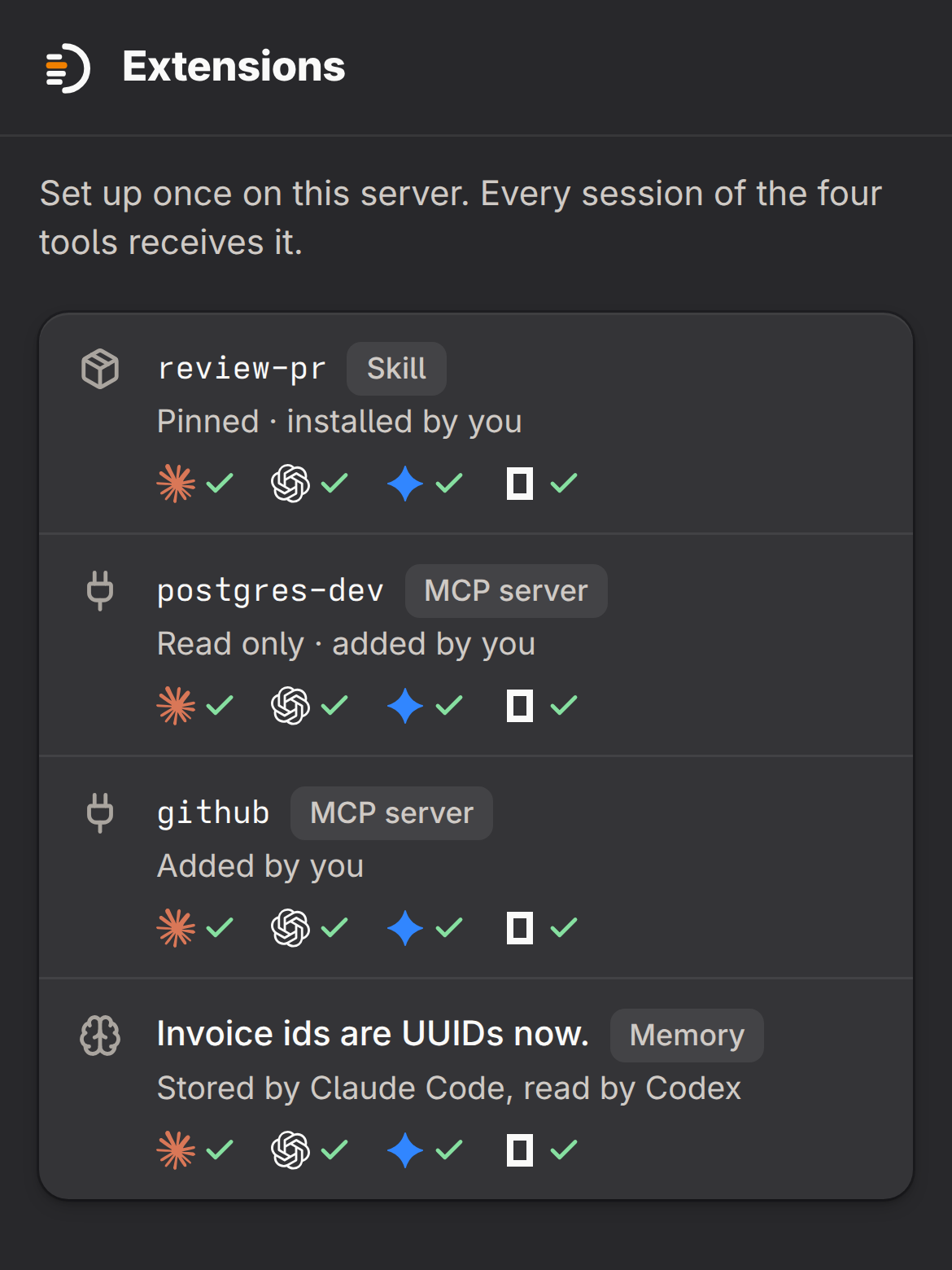
    Install a skill, add an MCP server or let an agent store a fact once. The sessions of Claude Code, Codex, Gemini CLI and OpenCode all receive it.

    The extensions page: two skills, two MCP servers and one stored fact, each with a check under Claude Code, Codex, Gemini CLI and OpenCode. The extensions page: two skills, two MCP servers and one stored fact, each with a check under Claude Code, Codex, Gemini CLI and OpenCode.
  5. Secrets your agents use and nobody reads

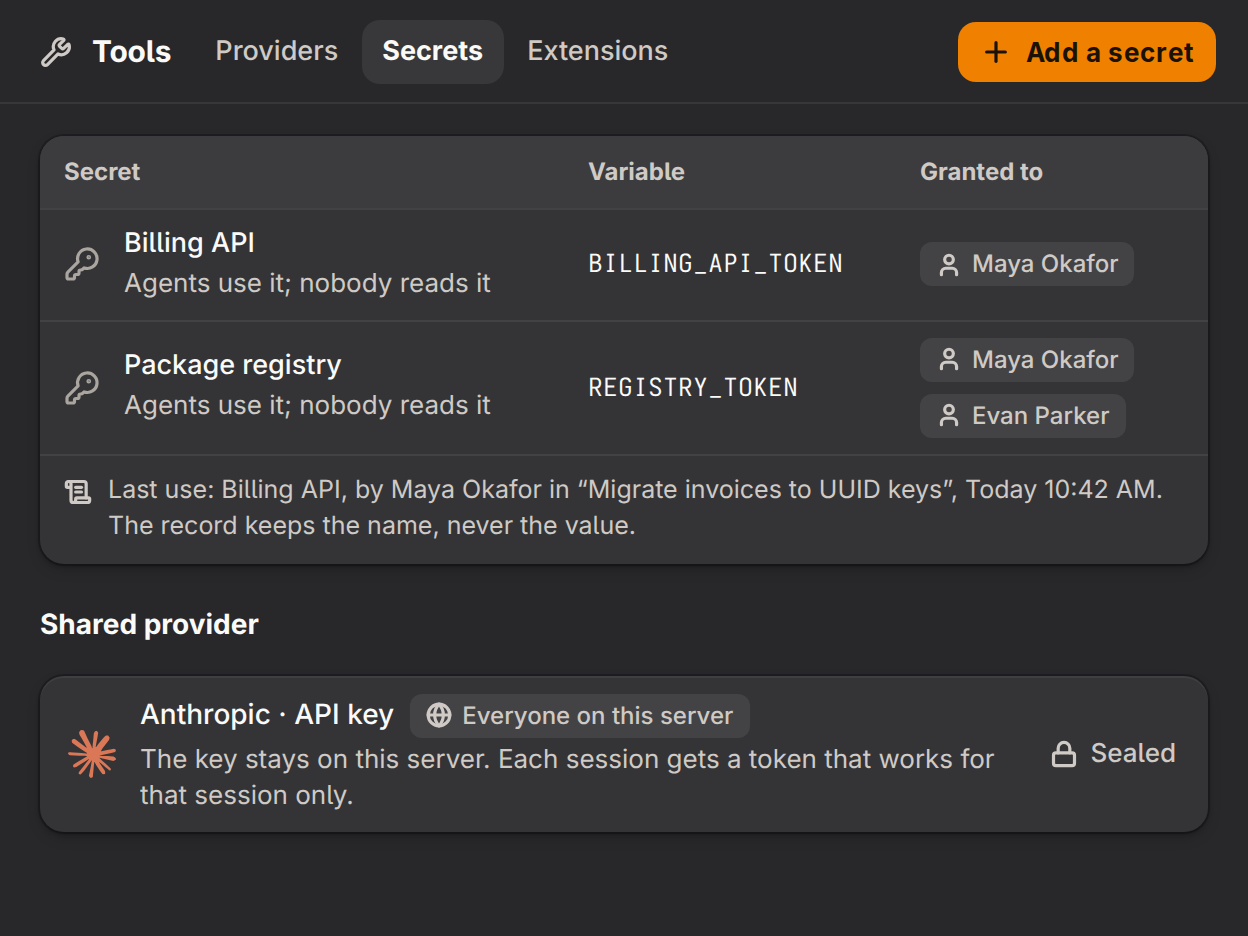
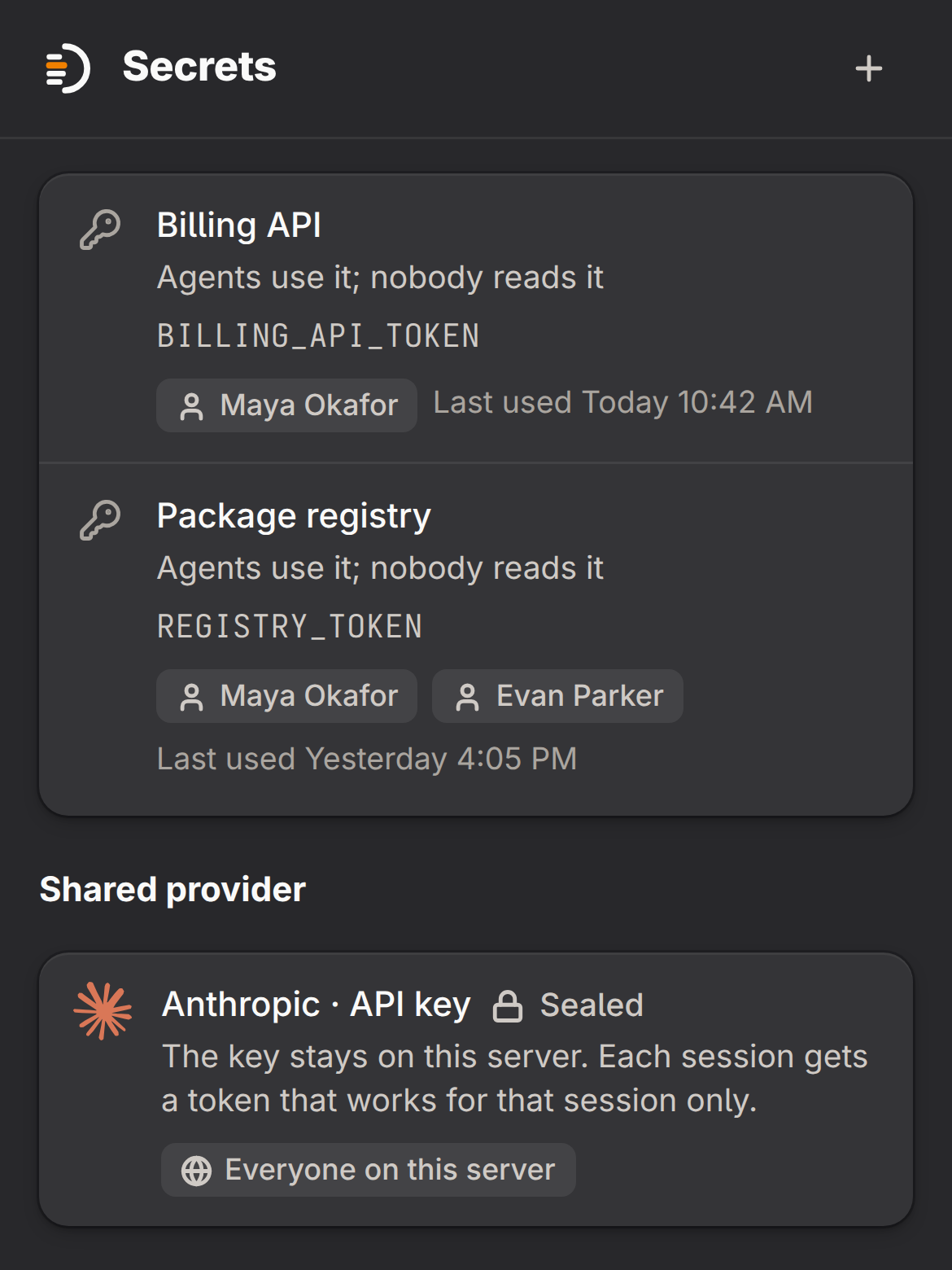
    Enter a secret once and grant it to a person. Their agents use it, and the record keeps each use with its name, never its value. The team’s API key stays on the server: a session gets a token that works for that session only.

    The secrets page: the secrets Billing API and Package registry, each with its variable name, the people it is granted to and its last use, never a value. Under them, the shared Anthropic API key, marked Sealed. The secrets page: the secrets Billing API and Package registry, each with its variable name, the people it is granted to and its last use, never a value. Under them, the shared Anthropic API key, marked Sealed.

Also in Olivares AI Engineer

  • Each tool’s managed policy files, validated and applied in one place.
  • Guardrails for personal data and prompt injection, and data-loss prevention on what leaves the server.
  • Folders granted to people, to read or to work. Everyone else is refused.
  • Shared providers, the model catalog and routing policies.
  • Knowledge bases and agent memory.
  • The inventory of your agents, models and MCP servers.
  • Webhooks and alerts for the events you choose.
  • The commercial license and the signed release channel.

Compare editions

Capability Community Free Engineer US$19.00/month Business US$99.00/month
Sessions of the four tools, each with its terminal, diff, Git and pull request Included Included Included
Session cockpit: the next step approved from the grid Not included Included Included
Usage across sessions, beside each account’s 5-hour and weekly limits Not included Included Included
Access map of what each agent touched Not included Included Included
Skills, MCP servers and memory set up once for the four tools Not included Included Included
Secrets that agents use, granted to people Not included Included Included
Shared providers: the team’s key stays on the server Not included Included Included
Folders granted to people Not included Included Included
Sign-in with your organization’s identity, departments and the member’s portal Not included Not included Included
Connections to your machines, databases and services Not included Not included Included
Business-hours email support Not included Not included Included
Compare every row on the pricing page

Before you buy

Back to the price
When you can buy

Engineer can be bought here. Dodo Payments is the merchant of record and handles payment, invoicing and cancellation.

Engineer or Business

Choose Business when your organization signs in with its own identity, works in departments, connects its machines, databases and services for its agents, gives members a simple portal or needs oversight of other people’s sessions, audit-record export and retention policies. Olivares AI Engineer does not include these.

Certification

Olivares AI holds no SOC 2, ISO or other certification.

When a paid term ends

The paid capabilities stop and Community keeps working. Your stored data stays readable on your server.

Support

Community support, in the public repository. Business-hours email support is part of Olivares AI Business.

Payment

USD, business-to-business, tax exclusive · Dodo Payments is the merchant of record and charges the tax that applies to you.