Install Olivares AI
Free and open source. No account, no registration, no payment details.
Every release is signed. What each method checks when you run it is stated under it.
Detects your system, installs only the binary and never uses sudo.
curl -fsSL https://olivares.ai/olivares/install.sh | shThen run olivares quickstart
Download the installer (install.sh)Signed archives and packages on GitHub Releases
Verifies: The cosign signature of the checksum manifest and the SHA-256 of the archive, before it installs anything. The script itself arrives over HTTPS and is not checked first.
Read the quickstartMulti-arch image that runs as a non-root user.
docker run -d --name olivares -p 8443:8443 -p 8444:8444 \
  -v olivares-data:/var/lib/olivares \
  docker.io/olivaresai/olivares:latest \
serve --listen :8443 --grpc-listen :8444 --data-dir /var/lib/olivaresVerifies: Nothing when you run this command: it pulls a tag over HTTPS. The image is cosign-signed, so run cosign verify on it, and pin the digest for production.
Read the quickstartAdds a no-login olivares user and a service. The commands below start it; on Debian, Ubuntu, RHEL, Fedora and SUSE they also enable it at boot. On ARM servers, use arm64.
Debian and Ubuntu
curl -fsSL -o olivares.deb https://olivares.ai/download/latest/linux_amd64.deb
sudo dpkg -i olivares.deb && sudo systemctl enable --now olivaresVerifies: Nothing against our signature: dpkg -i does not check one. The package is listed in the signed checksums.txt, so compare its SHA-256 before you install.
RHEL, Fedora and SUSE
curl -fsSL -o olivares.rpm https://olivares.ai/download/latest/linux_amd64.rpm
sudo rpm -i olivares.rpm && sudo systemctl enable --now olivaresVerifies: Nothing against our signature: rpm -i does not check one. The package is listed in the signed checksums.txt, so compare its SHA-256 before you install.
Alpine
Runs under OpenRC.
curl -fsSL -o olivares.apk https://olivares.ai/download/latest/linux_amd64.apk
sudo apk add --allow-untrusted olivares.apk && sudo rc-service olivares startVerifies: Nothing. The command uses --allow-untrusted, so apk accepts the package unsigned. The package is listed in the signed checksums.txt, so compare its SHA-256 before you install.
macOS and Linux.
brew install olivaresai/tap/olivares && olivares quickstartVerifies: The SHA-256 of the download against the value recorded in the tap. It does not run the cosign check.
Read the quickstart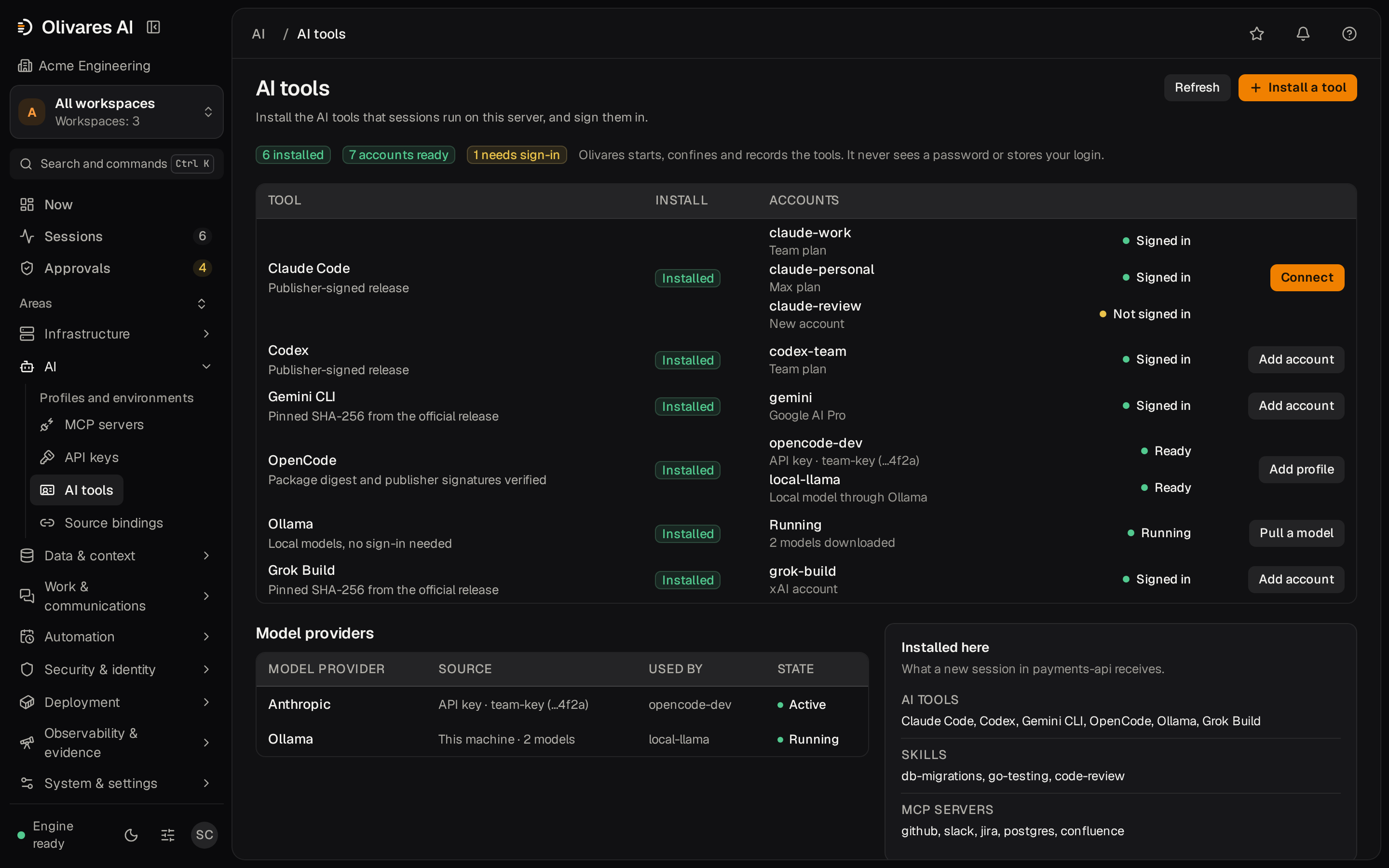
After you install
- Open the console and enter the one-time setup token. olivares quickstart prints the address and the token; with Docker or a package, the token is in the first-boot message in the log.
- Create the first administrator.
- Sign in your AI tools.
Archives for each system
-
Linux x86-64 (amd64)
-
Linux ARM64 (arm64)
-
macOS Apple silicon (arm64)
-
macOS Intel (amd64)
Verifies: Nothing when you download. Every file is listed in checksums.txt, which is cosign-signed; check a file with scripts/verify-release.sh or by comparing its SHA-256.
Checksums and signatures All files of the latest release
Docker Compose and building from source
Docker Compose
SQLite on one node, with optional Postgres and backups.
git clone --depth 1 https://github.com/olivaresai/olivares.git && cd olivares
docker compose -f deploy/compose/docker-compose.yml up --wait --wait-timeout 120From source
Needs Go 1.26+, Task and pnpm.
git clone --depth 1 https://github.com/olivaresai/olivares.git && cd olivares
task build && ./bin/olivares quickstartRequirements
Linux or macOS on amd64 or arm64. On Windows, use the Docker image or WSL2.
License and privacy
Community is free and open source under AGPL-3.0. Downloading it needs no account, no registration and no payment details.
Uninstall
See exactly what would be removed first. Preserve keeps configuration, data, logs and keys; purge removes only the paths the installer recorded.
olivares uninstall --plan --data-dir /var/lib/olivares
olivares uninstall --preserve --data-dir /var/lib/olivares
olivares uninstall --purge --data-dir /var/lib/olivares --yesBusiness and Enterprise
Business releases download from the customer portal after purchase. Enterprise is a contract.
Commercial customers manage licenses, download releases and review their account in the portal.